AI imports project contract
The assistant reads iOS-Automation-Framework/meteortest.yml and registers api_smoke.
Current stepA browser-side walkthrough of the AI-assisted project, suite, task, execution, report, and next-action loop.
This demo puts the AI operation entry first: the assistant can help import a project contract, register suites, prepare a task, hand execution to the Local Agent, inspect report context, and suggest the next action. The current website demo remains browser-side mock data, while the same API smoke path has been validated locally through MeteorTest Local Agent.
This browser walkthrough uses mock data to show the MeteorTest loop. The same mock-backed API smoke path has also completed a local MeteorTest Agent run, with run results summarized separately.
The assistant reads iOS-Automation-Framework/meteortest.yml and registers api_smoke.
Current stepThe assistant binds project, suite, environment, and task metadata into one queued run after user confirmation.
Use the test repository .venv and run pytest with API_BASE_URL pointing to the local mock API.
Write back status, output.log, Allure artifacts, and AI-assisted failure context.
Use project, task, report, and log context to explain the result and suggest rerun, environment, or code follow-up.
> Loaded meteortest.yml from iOS-Automation-Framework
A MeteorTest Local Agent task executed iOS-Automation-Framework `api_smoke` against the deterministic local mock API and collected task-specific logs plus Allure result artifacts.
The public website still uses a browser-side mock demo, and the live Web preview keeps execution private. Public connected execution is a later design topic after authentication, data isolation, and executor safety are designed.
These screenshots were captured from a local MeteorTest Web preview using sanitized mock data. They show the current console structure without exposing private Supabase data, local paths, credentials, or real test accounts.
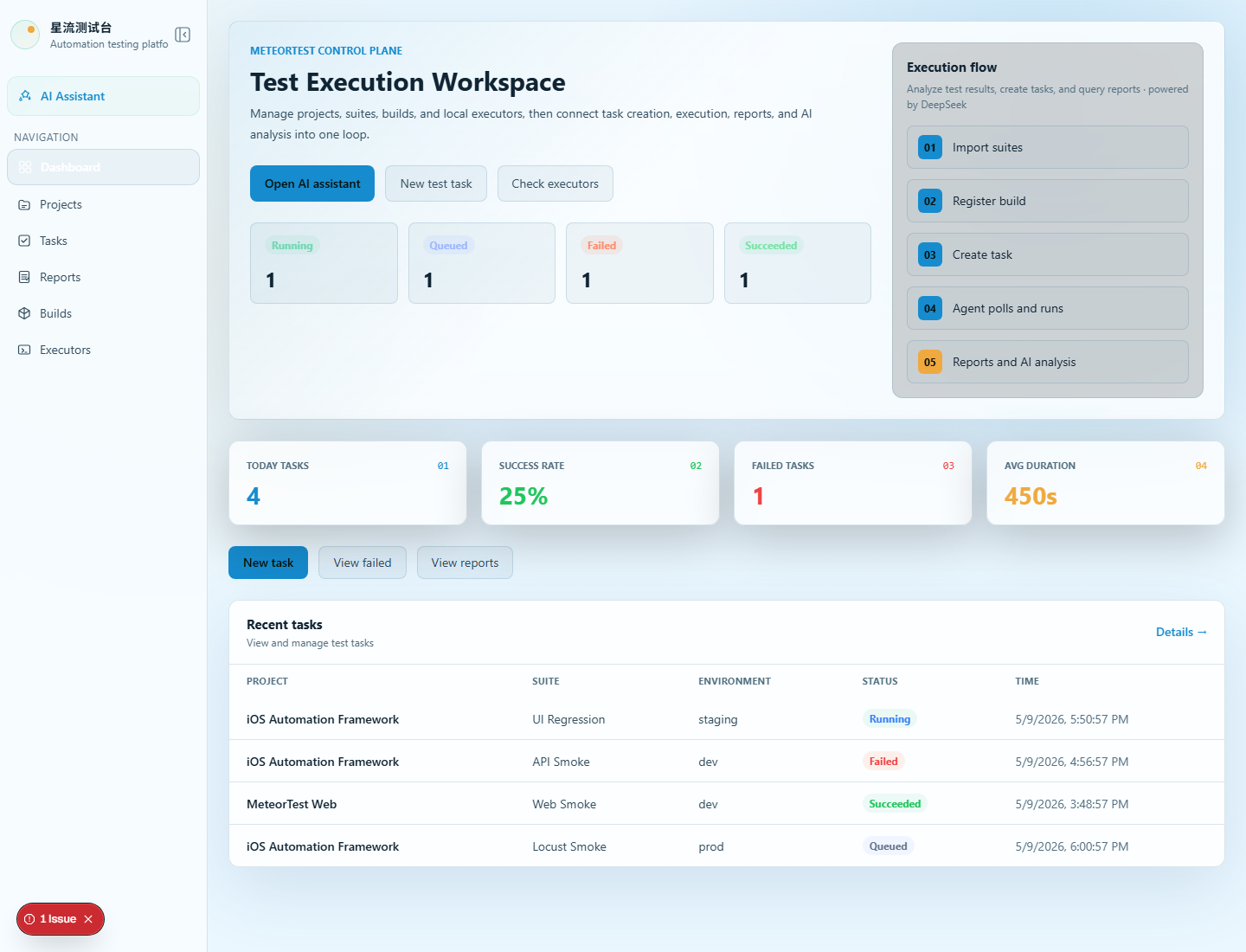
The dashboard shows task status, project onboarding, executor health, AI-assisted entry points, and the execution loop in a populated console layout.
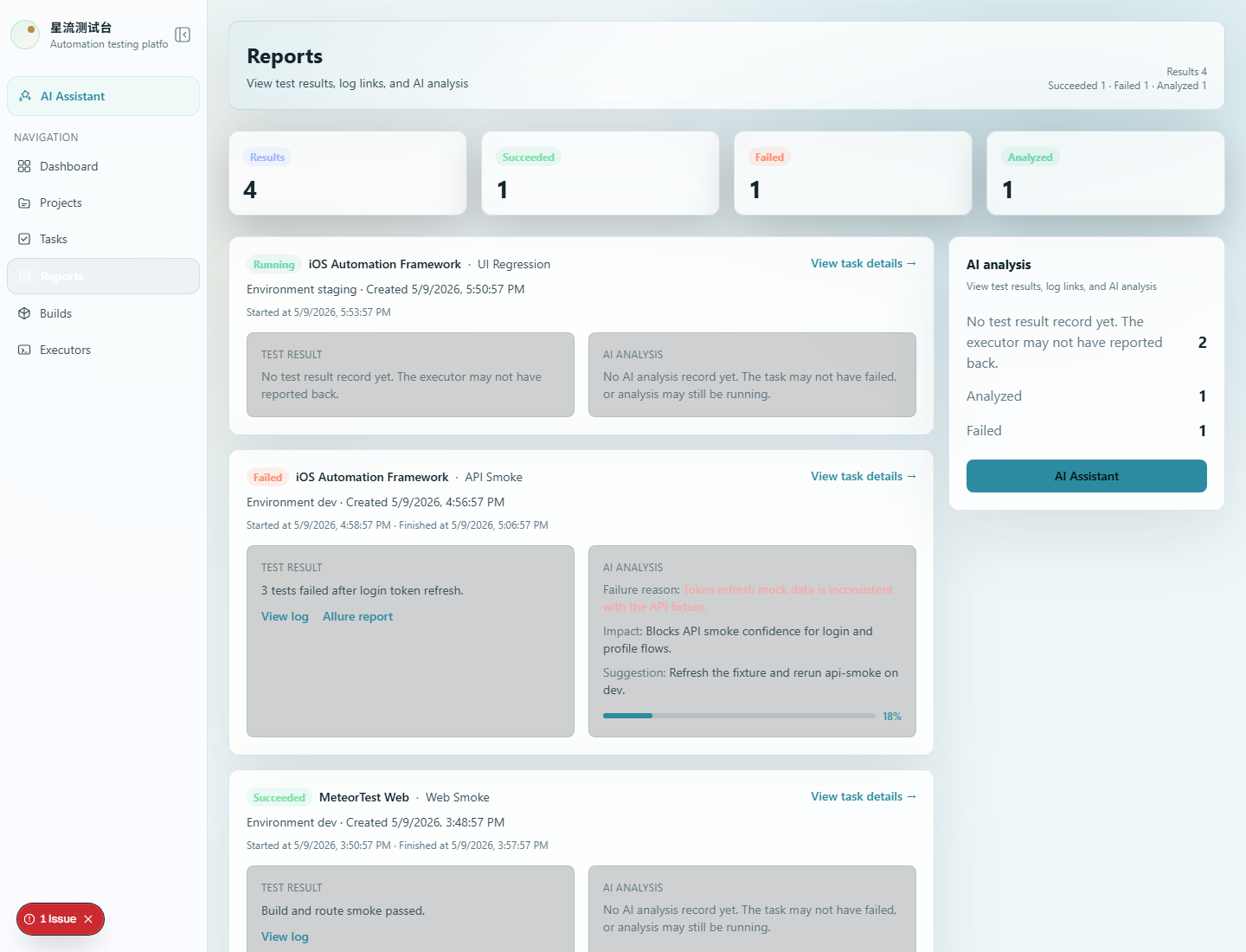
The report page shows task outcomes, failure context, report summaries, and AI analysis surfaces with mock execution data.
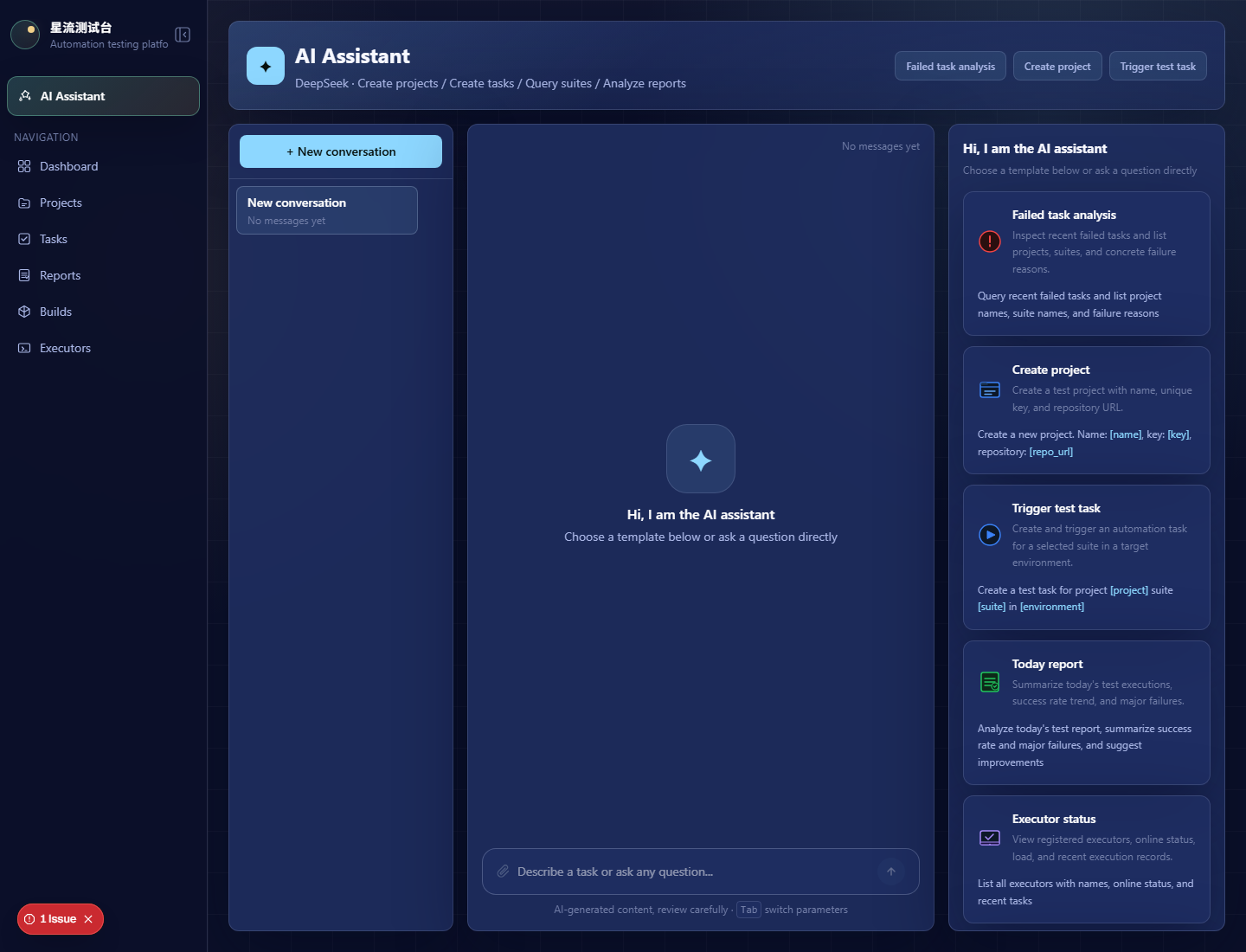
The AI page presents conversations, executable quick templates, task-oriented prompts, and the assistant workspace as an operations surface rather than a simple chat box.
This is not a public connected demo. MeteorTest Web is now online as a public preview, but Local Agent execution remains private.
The flow starts from AI-assisted project and suite operations instead of treating AI as a report-only feature.
The simulation shows how a prepared task is handed to a Local Agent and executed through the test repository runtime. The same mock-backed smoke suite has completed successfully in a local MeteorTest Agent run.
The final step highlights report inspection and AI-assisted follow-up, including environment or rerun suggestions.